

If you’ve been blogging for a while, you’ll know that not all content stays relevant forever. Many site owners worry about visitors landing on outdated WordPress posts via search engines and following advice that is no longer accurate.
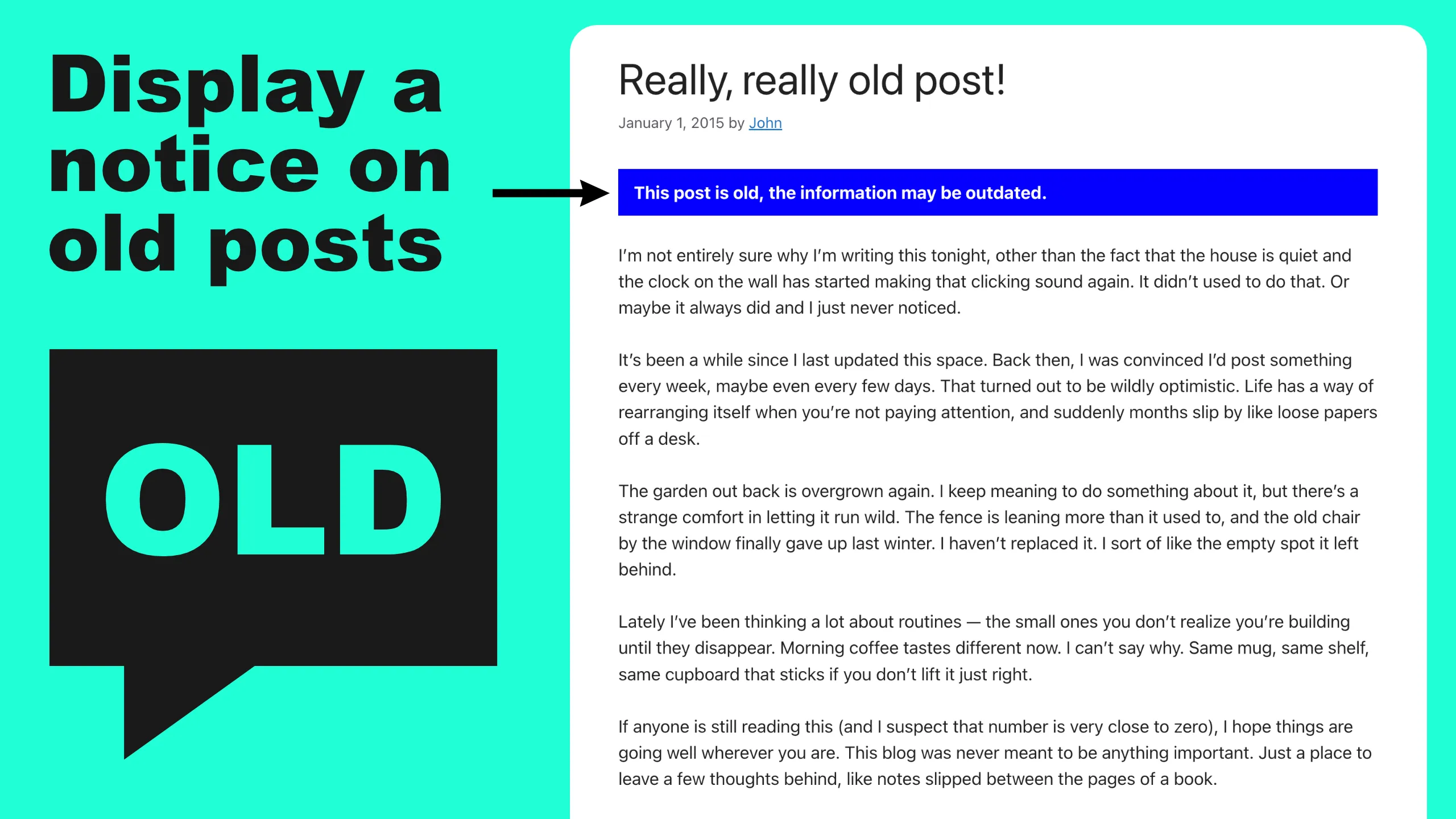
The Old Post Notice plugin is a fantastic way to automatically display a notice on old posts, ensuring your readers are immediately aware of the content’s age. By using this WordPress archive management tool, you can maintain your site’s credibility while providing a better user experience for those browsing your older guides and tutorials.
Old Post Notice is a WordPress plugin available on WordPress.org.
Key Features of the Old Post Notice Plugin: Managing Outdated WordPress Content
Old Post Notice has the following features:
Get Old Post Notice for free on WordPress.org.
Why Should You Flag Outdated Content on WordPress?
Search engines like Google value content freshness and accuracy. When visitors land on a page from several years ago, they may leave immediately if the information feels irrelevant, which increases your bounce rate and can negatively impact your rankings.
Using the Old Post Notice plugin helps solve this by:
- Reducing Bounce Rates: By managing expectations immediately, users are less likely to feel “tricked” by old search results.
- Improving Site Authority: Demonstrating that you actively monitor your archives shows readers (and search algorithms) that you care about accuracy.
- Boosting Internal Links: You can use the customisable HTML notice to link directly to your newest articles, keeping traffic on your site for longer.
- Enhancing User Trust: Transparency is key to building a loyal audience; being honest about the age of your data prevents your brand from appearing out of touch.
Perfect for Tutorials, News, and Technical Guides
While evergreen content is the goal for many, certain niches are highly sensitive to time. If you run a site in any of the following categories, an outdated content alert is an essential part of your WordPress maintenance strategy:
- Software & Tech Tutorials: Coding languages and software interfaces change rapidly. A notice prevents users from struggling with outdated instructions.
- Travel Blogging: Hotel prices, restaurant recommendations, and visa requirements can change overnight.
- News & Current Affairs: Ensure your readers know they are looking at an archive rather than a breaking news story.
- Product Reviews: If you’ve reviewed a product that has since been updated or discontinued, a notice helps guide users toward your latest reviews.
Related Blog Posts
- Master Your WordPress Archives: A Guide to Using the Old Post Notice Plugin
 Maintaining a professional blog means more than just hitting “publish” on new content. It’s about managing the wealth of information already in your archives. As your site grows, …